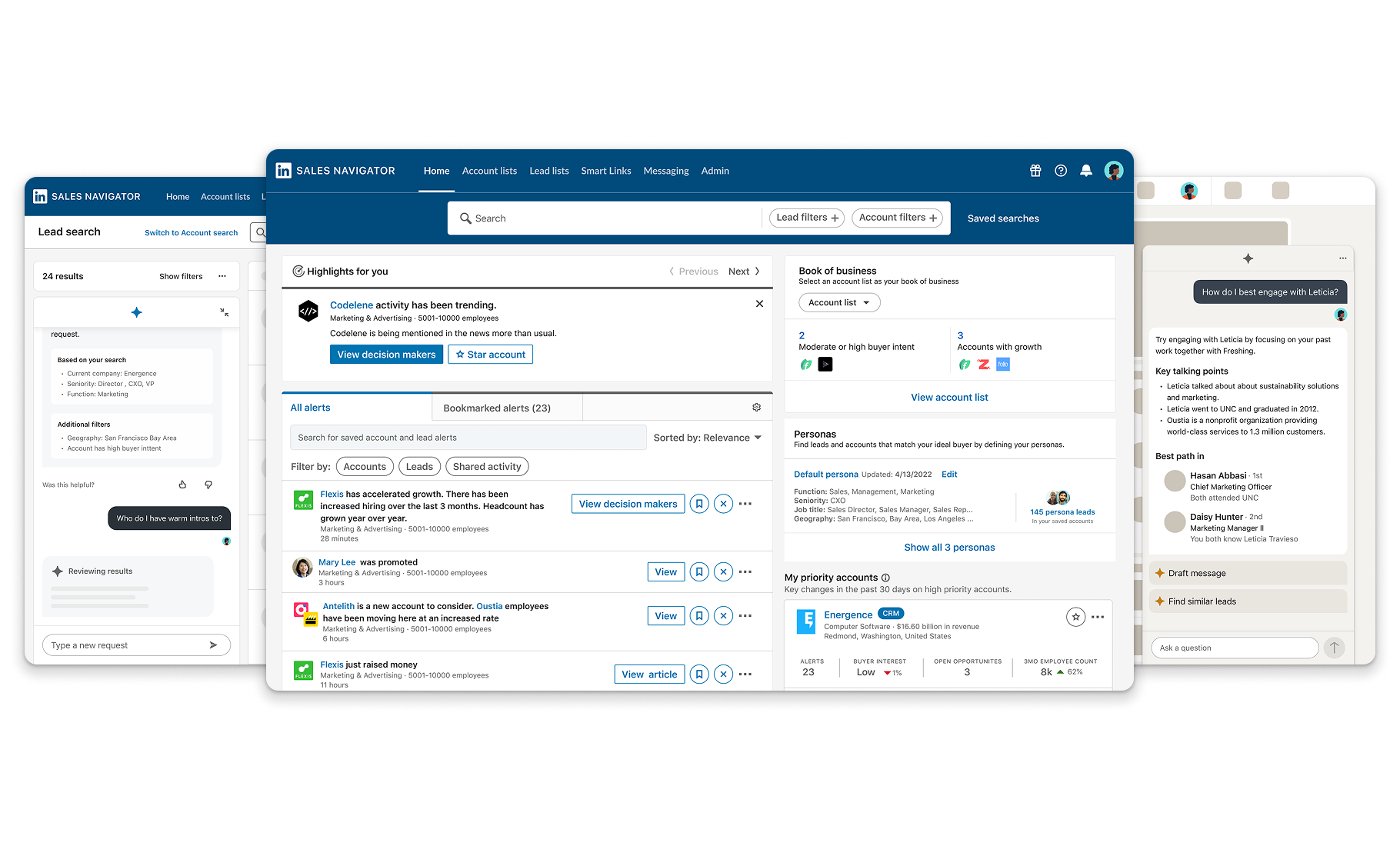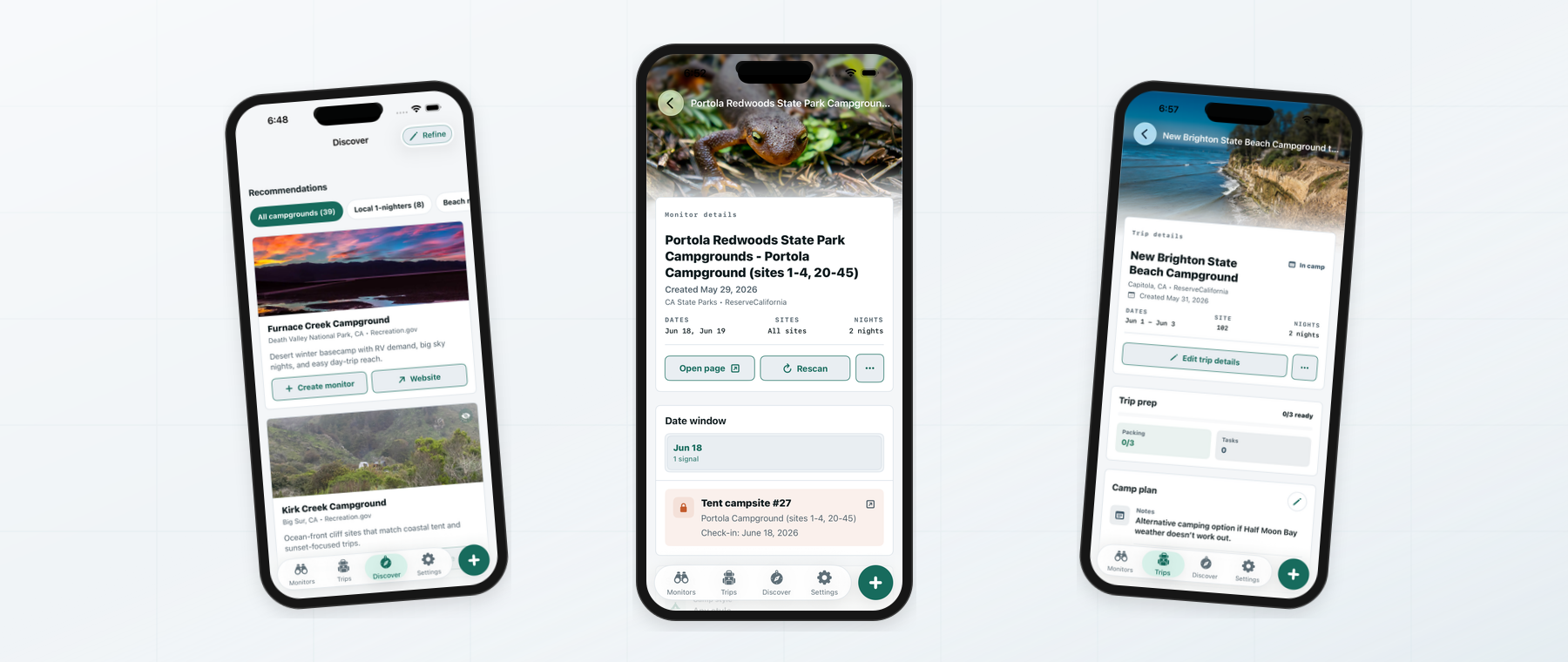
Sales Ops and RevOps
Planning job
Define territories, whitespace, account priority, and forecasts from market and account signals.
What they needed
Source quality, freshness, account rationale, match status, and criteria they could defend.
I designed planning workflows that helped GTM teams size markets, prioritize accounts, and act on LinkedIn data with confidence.
 LinkedIn
Why
Sales and Revenue teams had access to more market, company, and relationship data than they could reliably operationalize. Sales Insights could turn that data into a trusted planning workflow across reports, sources, account lists, matching, CRM automation, and downstream Sales and Marketing workflows.
Sales Ops and RevOps teams were making decisions that affected territories, campaigns, CRM records, and rep focus. The product had to show why a recommendation was worth trusting.
Source clarity, account matching, freshness, unresolved records, and field mapping were not setup details. They were the moments where users decided whether the system could touch operational data.
A report became more valuable when its account logic could extend into exports, CRM workflows, Marketing activation, and Sales Navigator execution without every team rebuilding the criteria.
Problem frame
Personas
Each team entered through a different job, but they all needed to trust the same account logic before moving into planning, CRM, Marketing, or seller execution.
Planning job
Define territories, whitespace, account priority, and forecasts from market and account signals.
What they needed
Source quality, freshness, account rationale, match status, and criteria they could defend.
Planning job
Turn account strategy into campaign audiences without rebuilding the same list logic in another tool.
What they needed
Shared definitions, clean export paths, and confidence that Sales and Marketing were acting from the same target-account model.
Planning job
Protect systems of record while using LinkedIn data to improve matching, field mapping, and sync quality.
What they needed
Visible review states, exception handling, permissions, match confidence, and proof of what would change downstream.
Planning job
Align teams around which accounts mattered, why they mattered, and where sellers should focus.
What they needed
Readable summaries, comparable segments, decision rationale, and handoff paths into seller workflows.
Role and scope
Partnered with two product managers: one focused on core experience and one focused on integrations.
Improved the product's usability and coherence during the maturity phase after launch, when Sales Insights needed to move from promise to repeatable planning workflows.
Designed across reports, sources, personas, account lists, exports, CRM-connected workflows, and Marketing/Sales handoffs.
Framed integrations as first-class UX, including setup, permissions, matching, field mapping, progress, exception handling, and completion states.
How it unfolded
Sales Insights needed to become trusted inside enterprise planning cycles, not simply expose more data.
Sources, reports, personas, account lists, exports, and sync states had to feel like one planning system.
Matching, field mapping, sync status, and exceptions made downstream automation understandable.
Validated account lists carried planning decisions into CRM, Marketing, and Sales Navigator.
Product story
Core report
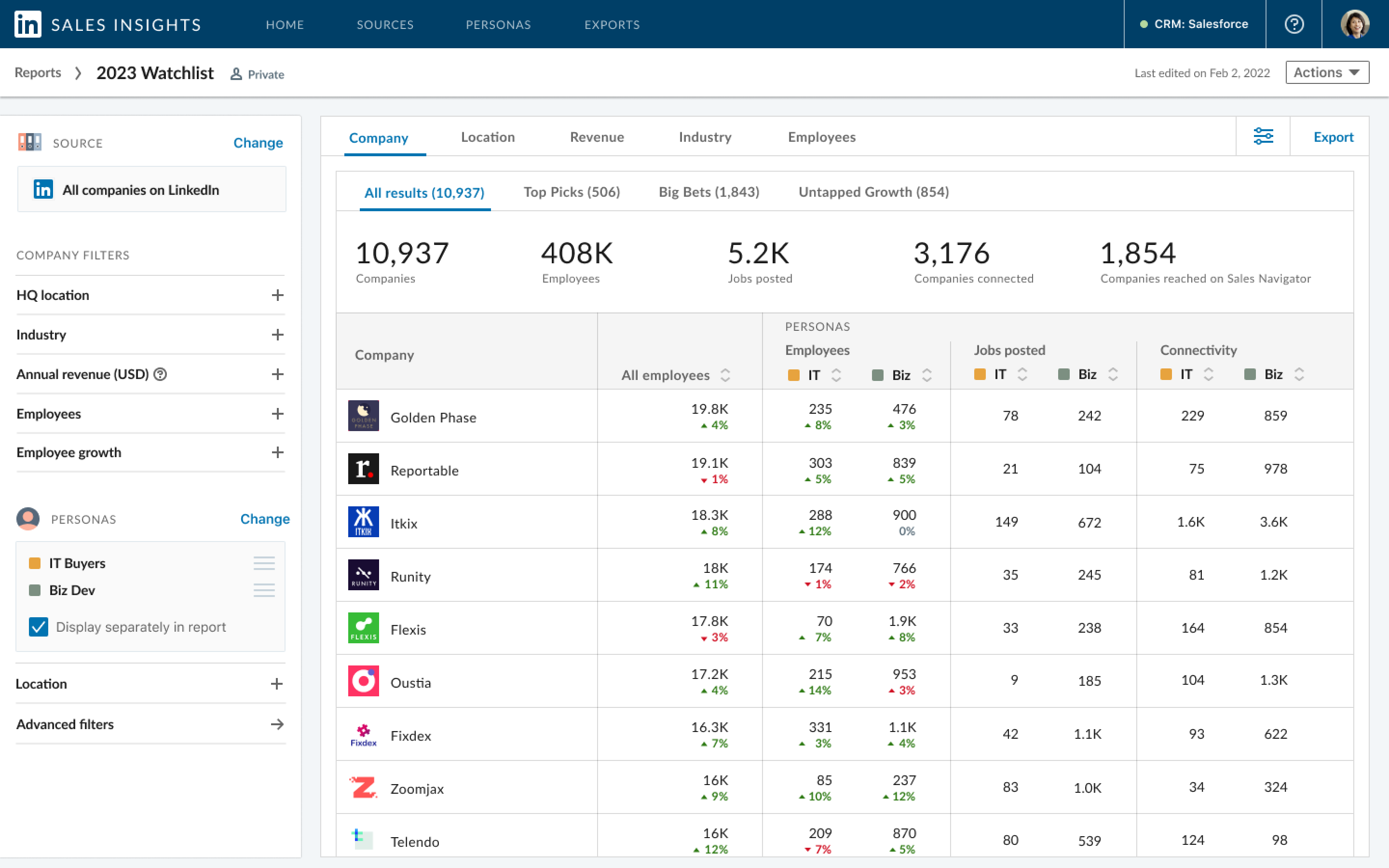
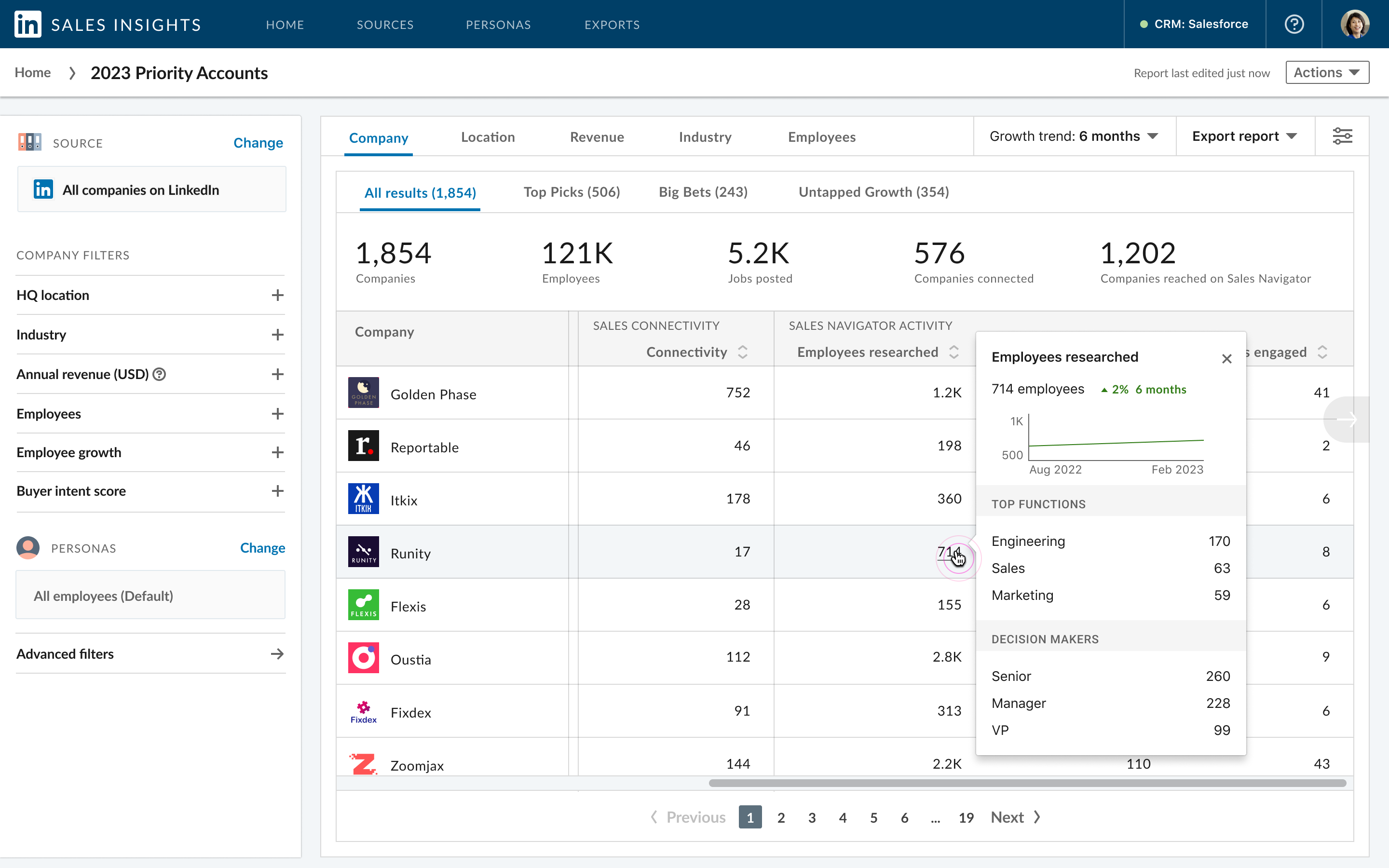
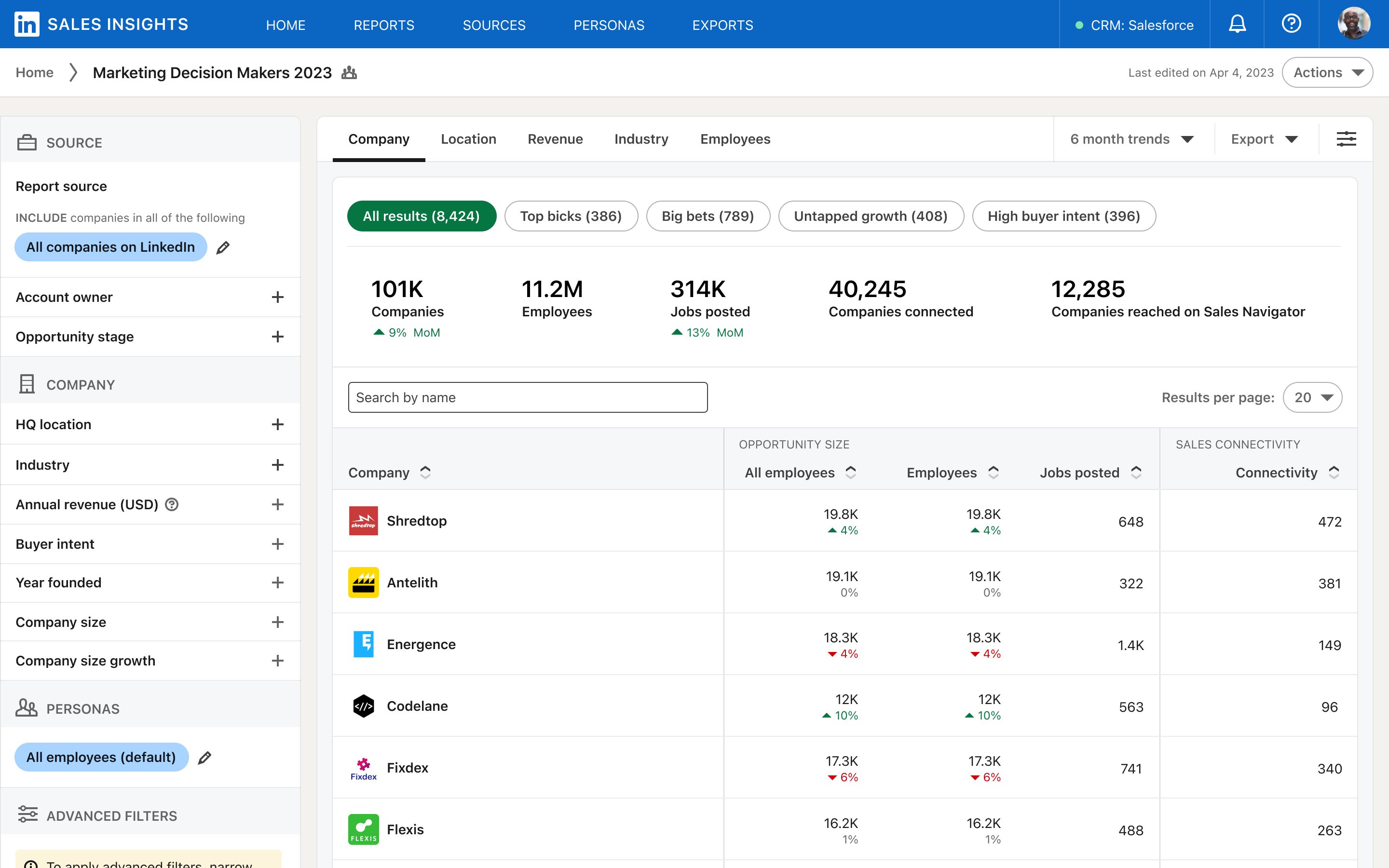
The report surface carried the main planning job: define a market, apply account filters, compare personas, review account-level signals, and decide which segments were worth action. The design challenge was making dense company and member data readable enough for high-stakes planning.
Key surfaces
Reports, sources, filters, personas, segment highlights, geographic data, growth signals, relationship-strength data, and export paths.
System model
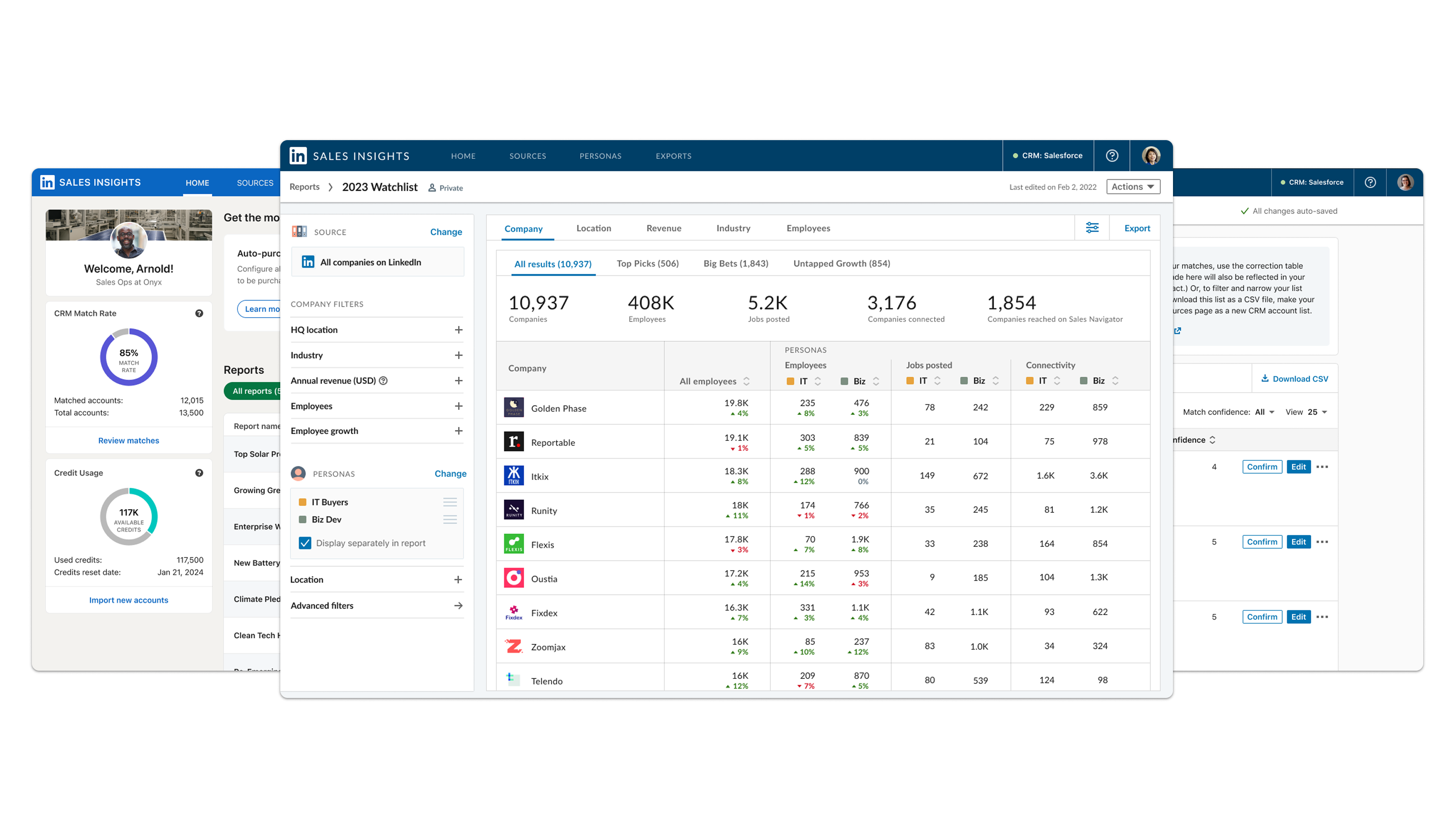
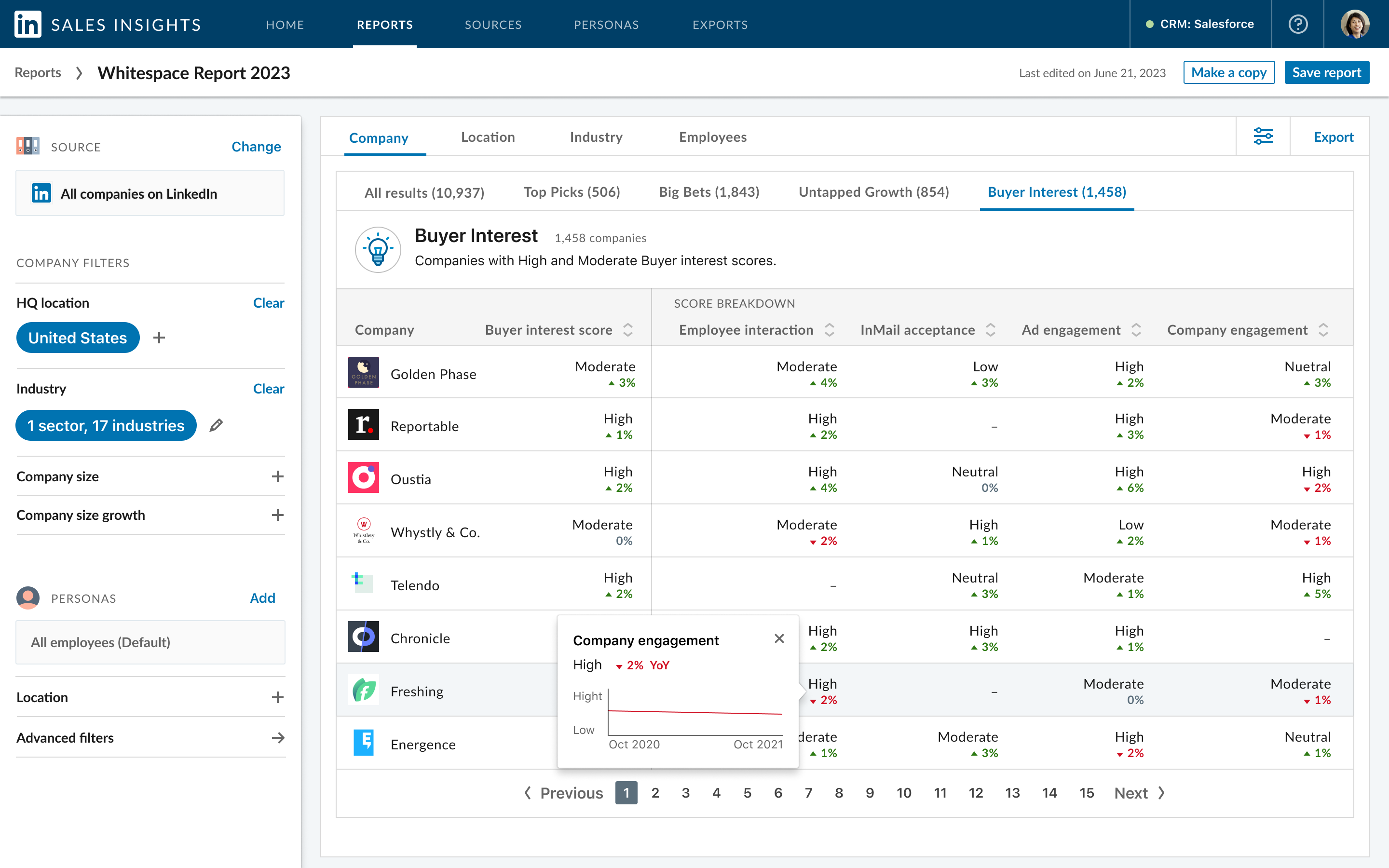
Sales Insights worked best when its layers felt connected: sources shaped reports and insights, reports produced account lists, and account lists moved into exports or integrations. The architecture mattered because planning outputs needed to become operational assets.
Key surfaces
Reports, Sources, Exports, CRM match rate, account matching, review states, and source-connected report creation.
Trust and automation
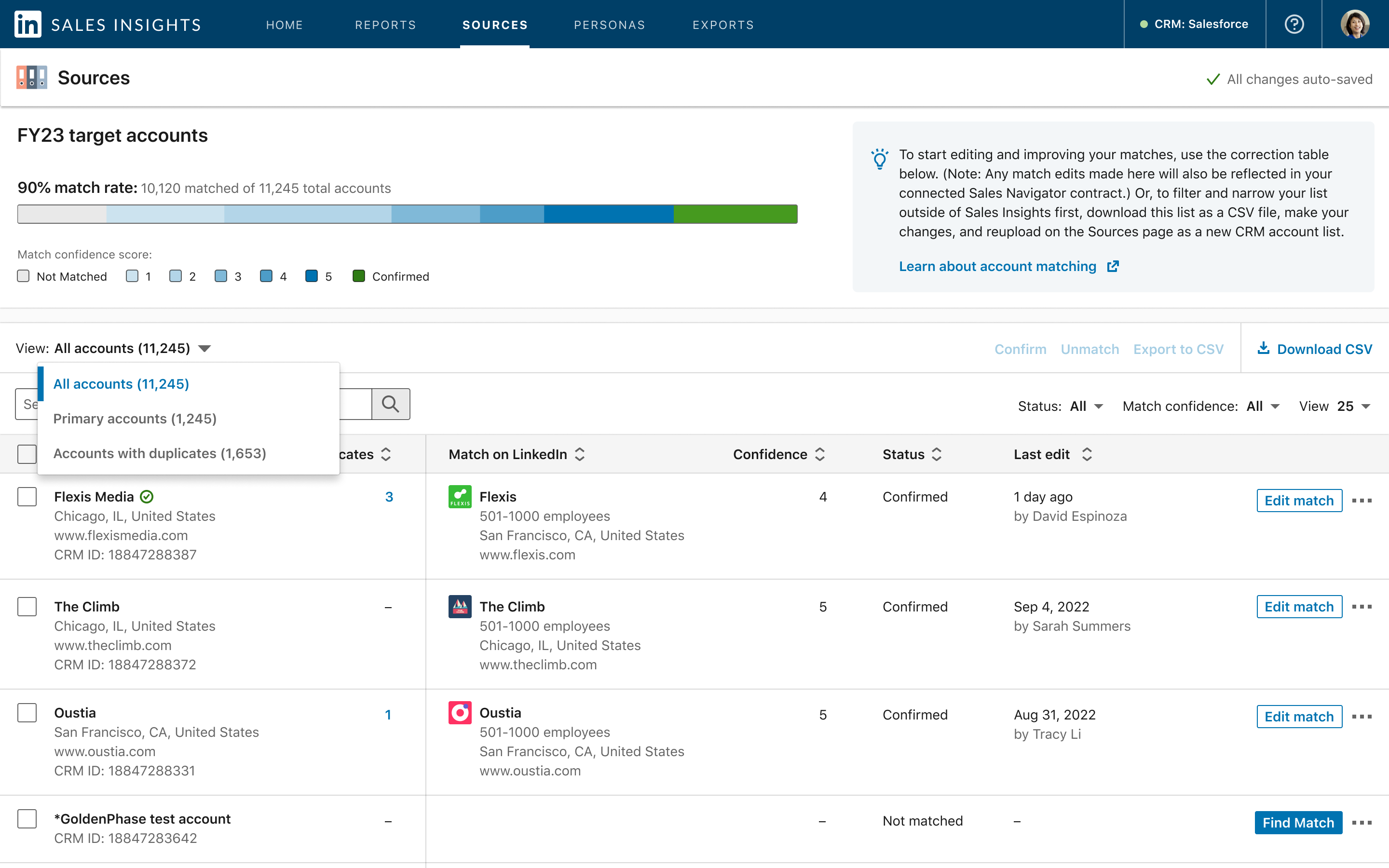
The integration work mattered because it moved insight into systems of record. Matching accounts to LinkedIn companies, mapping fields, exporting, syncing, and handling errors had to be transparent enough for Sales Ops and CRM owners to let automation change operational data.
Key surfaces
CRM and CSV onboarding, match confidence, unresolved records, field mapping, export confirmation, sync progress, and exception handling.
Activation bridge
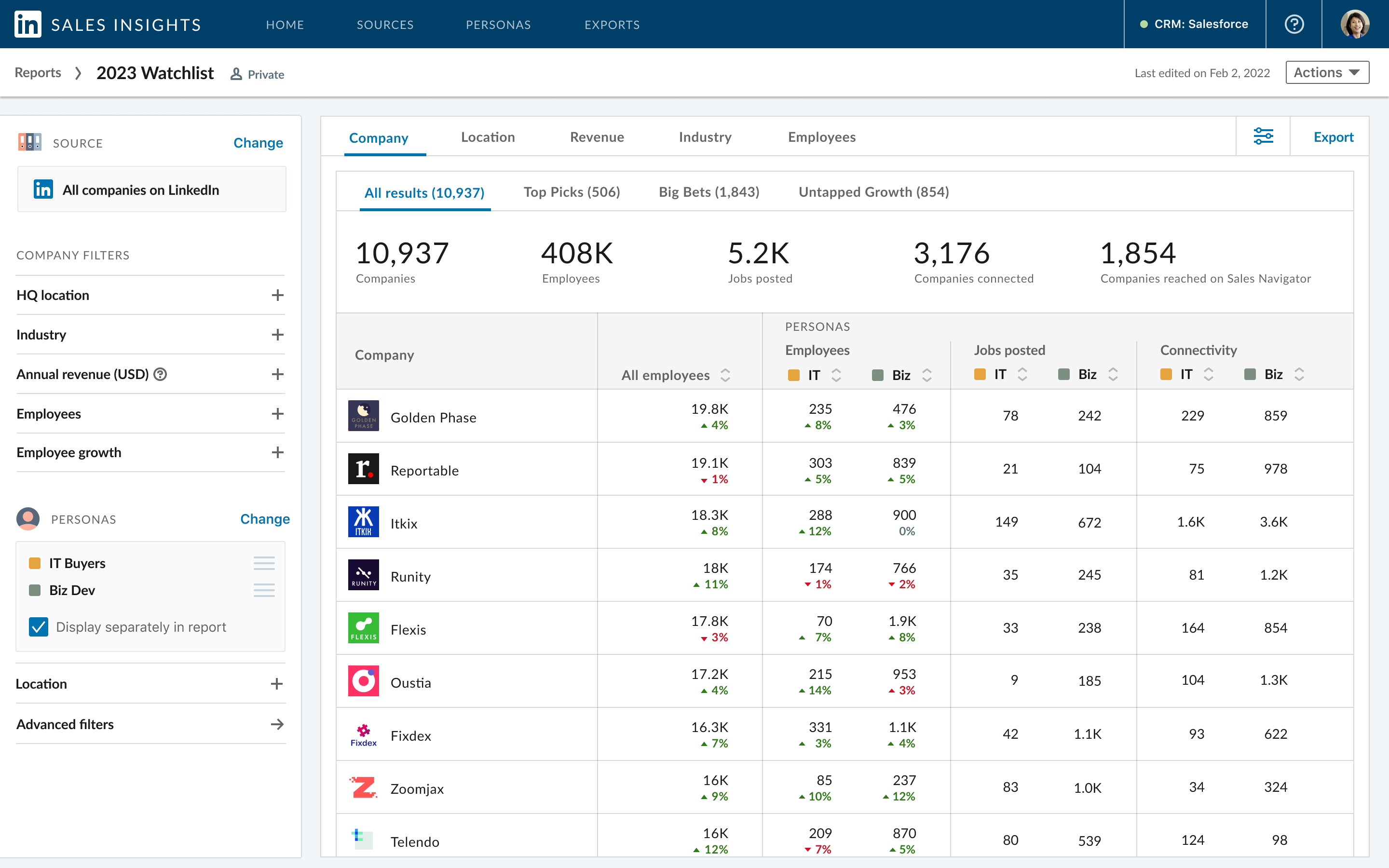
The strongest product value came from connecting insight discovery to operational execution. A target-market hypothesis could become a prioritized account list, then move into CRM, ABM campaign planning, or Sales Navigator execution without every team rebuilding the criteria.
Key surfaces
Strategic prioritization, whitespace, territory planning, ABM planning, and Sales Navigator handoff.
Experimentation
Alongside the core experience work, I partnered with engineering and PM to explore experimentation initiatives that could clarify the product's next direction. The main effort was a product redesign: we prioritized the surfaces most likely to affect planning confidence, tested concepts early, and used those learnings while shaping the overall product experience. Other explorations looked at how LinkedIn Campaign Manager could connect Sales Ops account lists to the audience lists Marketing teams used for campaign activation.
Key surfaces
Core product experiences and Campaign Manager integration exploration.
Decisions
01
Sales and Revenue teams were making decisions that affected territories, campaigns, CRM records, and rep focus. The interface needed to show source, recency, rationale, and match confidence so dense data could become a decision teams trusted.
02
Sales Insights could easily feel like disconnected dashboards. The experience needed a clear model: sources feed reports, reports create account lists, and account lists move into exports, syncs, campaigns, and seller workflows.
03
CRM connection, CSV import, field mapping, and unresolved account matches were not setup details. They were trust moments where users decided whether automation could safely write to operational systems.
04
The value of a report depended on whether Marketing, Sales leaders, CRM admins, and sellers could act on the same account definition without rebuilding the logic in another tool.
Outcome
Takeaway
Sales Insights connected market strategy to coordinated Sales and Marketing action through a shared account model.