
Back to featured work

From seller workspace to CRM-connected team system

As one of three founding designers, I helped scale Sales Navigator across admin, integrations, onboarding, mobile, and growth.

Sales Navigator product system mockups
Company
LinkedInLinkedIn
Product
LinkedIn Sales Navigator
Audience
Sales leaders, admins, sellers, operations teams
Role
One of three founding designers. Primarily owned admin, integrations, onboarding, mobile, and growth

Why

The opportunity

Sales Navigator had to become more than a place to find leads. The opportunity was to make LinkedIn relationship intelligence adoptable by sales teams: easy for sellers to understand, manageable for admins, measurable for leaders, and available inside CRM, email, and LinkedIn.com. That required onboarding, administration, reporting, and growth paths to work as one connected system.

Adoption had to be managed

Team customers needed onboarding, team management, usage reporting, and admin controls that made seat value visible and helped sellers get to useful behavior sooner.

Bring sales intelligence into seller workflows

Relationship context was strongest when it appeared inside the systems sellers already used, from Salesforce widgets and scalable CRM integrations to Gmail and LinkedIn.com entry points.

Team value needed proof

Social Selling Index, reporting, upsell paths, and funnel optimization helped connect individual seller behavior to broader team adoption and expansion.

Problem frame

How do you turn LinkedIn relationship data into a CRM-connected seller workflow?

Personas

Who Sales Navigator had to work for

Sales Navigator had to serve sellers directly while giving the people who bought, rolled out, measured, and managed it enough confidence to make it a team system.

Sellers and account executives

Workflow

Find the right accounts and people, understand relationship paths, and move from research to action across LinkedIn, CRM, email, and mobile.

What they needed

Relevant lead and account signals, warm paths, recommendations, saved work, and lightweight actions inside the workflows they already used.
Sales managers and leaders

Workflow

Roll out Sales Navigator as a team habit, understand whether sellers were achieving value, and coach teams toward stronger selling behaviors.

What they needed

Onboarding paths, usage visibility, team reporting, plan clarity, and proof that the product was creating value beyond individual prospecting.

Admins and Sales Ops

Workflow

Configure teams, manage seats, support onboarding, and keep the product manageable as adoption expanded across a sales organization.

What they needed

Clear admin controls, seat and team management, settings, usage reporting, permissions, and recovery paths for setup or account changes.

CRM

Workflow

Connect Sales Navigator relationship intelligence to systems of record without disrupting CRM ownership, data quality, or sales operations workflows.

What they needed

Connection state, sync controls, field mapping, activity writeback, data controls, partner-platform patterns, and visible integration status.

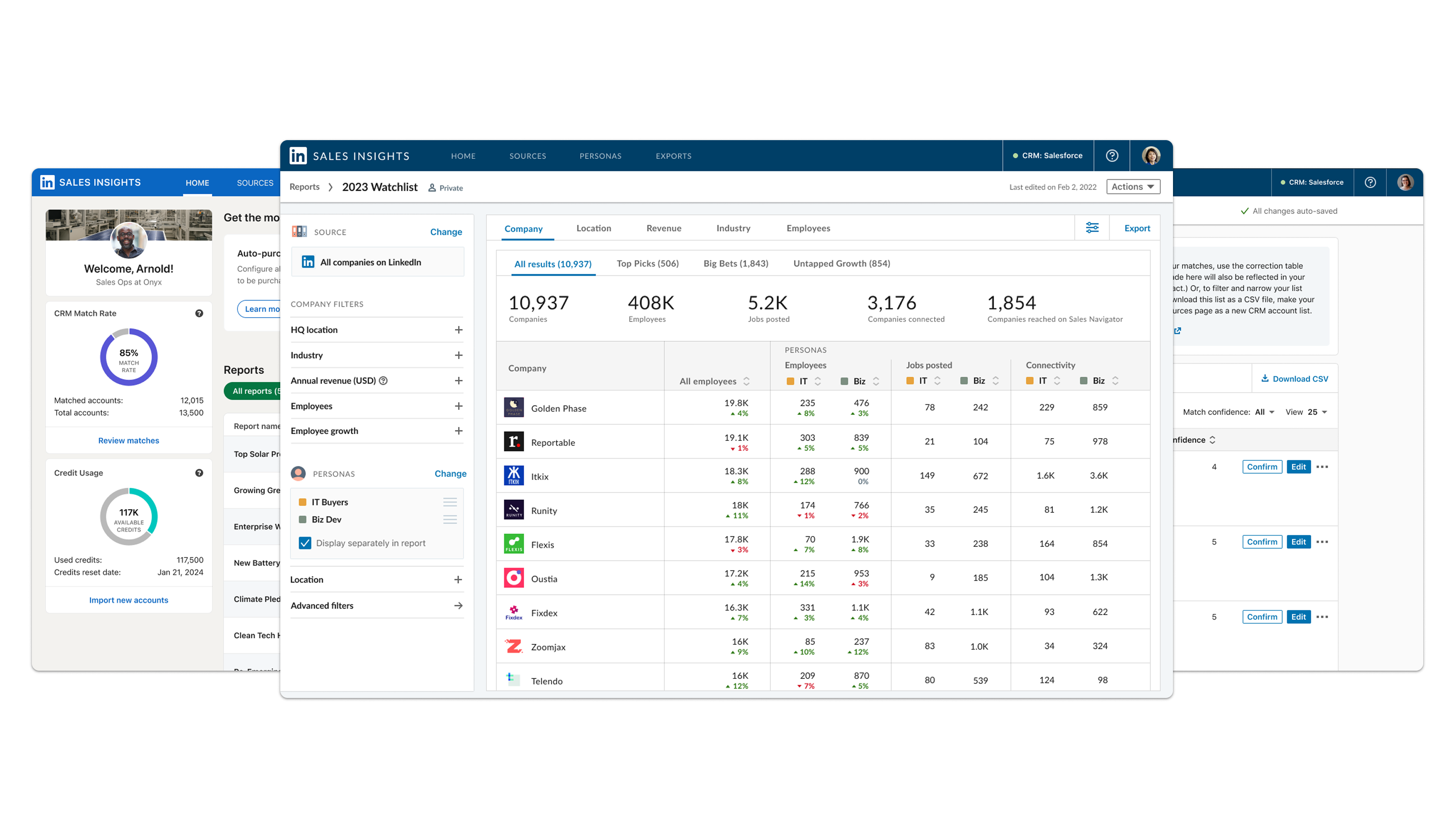
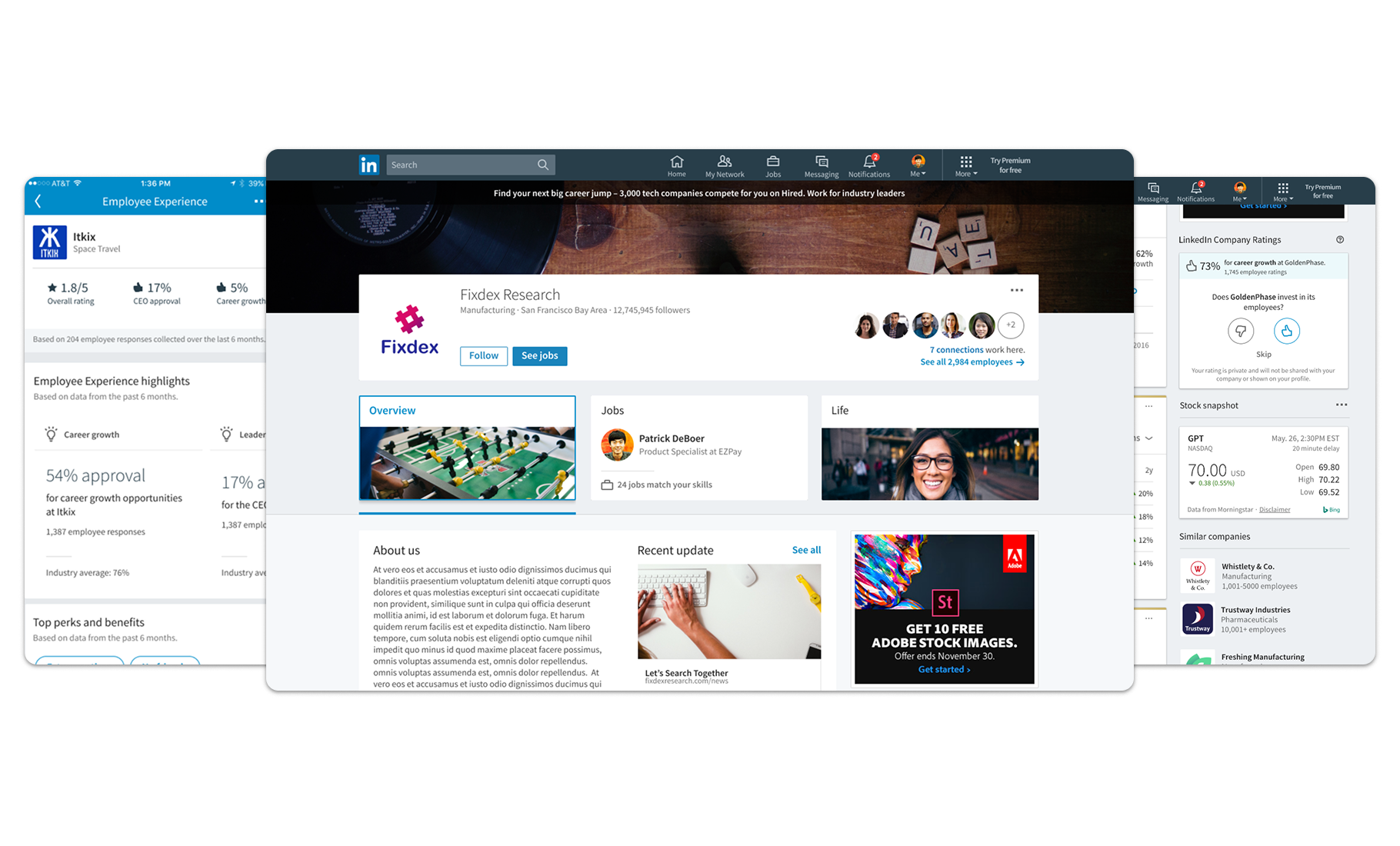
LinkedIn Sales Navigator workspace and CRM-connected product surfaces

Role and scope

My role and scope

  • Admin workflows

    Primarily owned admin, usage reporting, team management, onboarding, CRM integrations, and growth experiences across web and mobile needed for customer expansion.

  • CRM integrations

    Led CRM integration design from the first Salesforce widgets into a scalable model for embedded intelligence, sync behavior, field mapping, activity capture, reporting, governance, and team adoption.

  • Seller workflow integrations

    Extended Sales Navigator value across adjacent seller workflows and core product surfaces: Gmail, CRM, and LinkedIn.com touchpoints, Social Selling Index, mobile discovery, mobile onboarding, and later team-feature work on mobile.

  • Growth

    Supported growth efforts across Sales Navigator and LinkedIn through upsell paths, funnel optimization, plan clarity, usage visibility, reporting, and multi-seat adoption.

  • Support

    Helped establish Sales Navigator as a standalone SaaS workspace for sellers and sales teams, with accounts, leads, saved work, relationship signals, and seller-specific navigation.

How it unfolded

From ambiguity to product direction

  1. Build for team adoption

    Admin, reporting, onboarding, and team management made the new seller product adoptable by companies.

  2. Bring intelligence into CRM

    CRM integrations brought relationship intelligence into profiles, account actions, sync, and activity capture.

  3. Meet sellers in their workflow

    CRM, email, and LinkedIn.com delivered Sales Navigator value inside existing seller workflows.

  4. Scale into a team system

    Mobile support for team features, plan clarity, reporting, and growth paths turned individual value into a team system.

Product story

Selected product moments

Team adoption

A new sales product needed admin, reporting, and onboarding foundations

My early work focused on making Sales Navigator adoptable by teams, not just useful to individual sellers. Admin, usage reporting, team management, onboarding, and new-user paths helped customers see how licenses were assigned and used, how sellers were engaging, and where early value was emerging.

Key surfaces

Seat management, usage reporting, CRM Sync, admin onboarding, settings, and email communications.

Early Sales Navigator suggested leads workflow with CRM sync and TeamLink signals

CRM widgets

Sales Navigator relationship intelligence expanded into CRM records

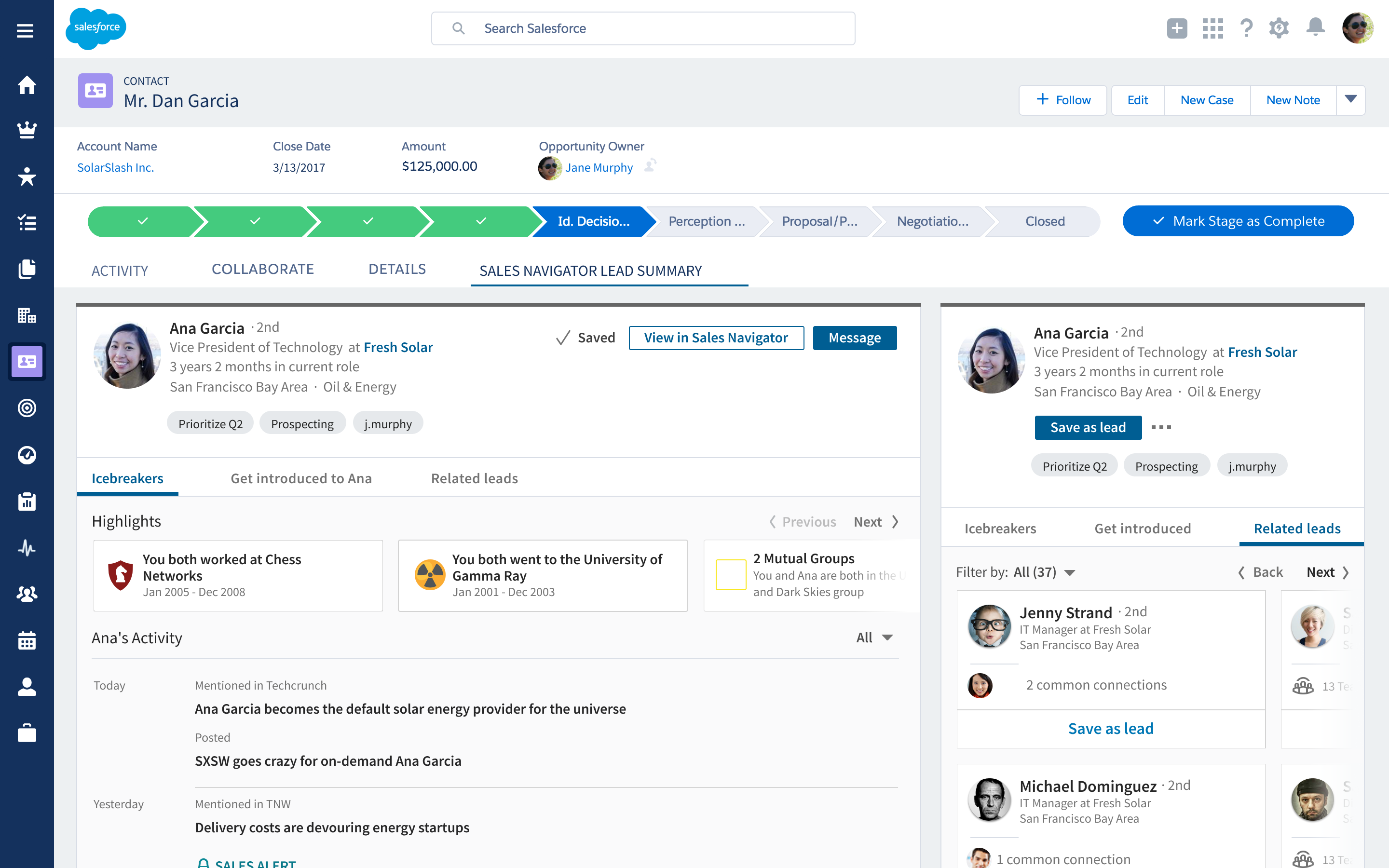
CRM was where sellers manage accounts, contacts, opportunities, and activity. I led the first Salesforce widget work and then helped extend that into a scalable CRM integration model for profile cards, employee insights, best paths in, recommended leads, news, save actions, message actions, and relationship context across additional key CRMs.

Key surfaces

First Salesforce widgets, scalable CRM integration model, profile top cards, account actions, lead recommendations, news, icebreakers, related leads, and get-introduced flows.

Sales Navigator CRM widgets embedded in Salesforce account and contact records

Sync and settings

Integration design also meant admin trust and data controls

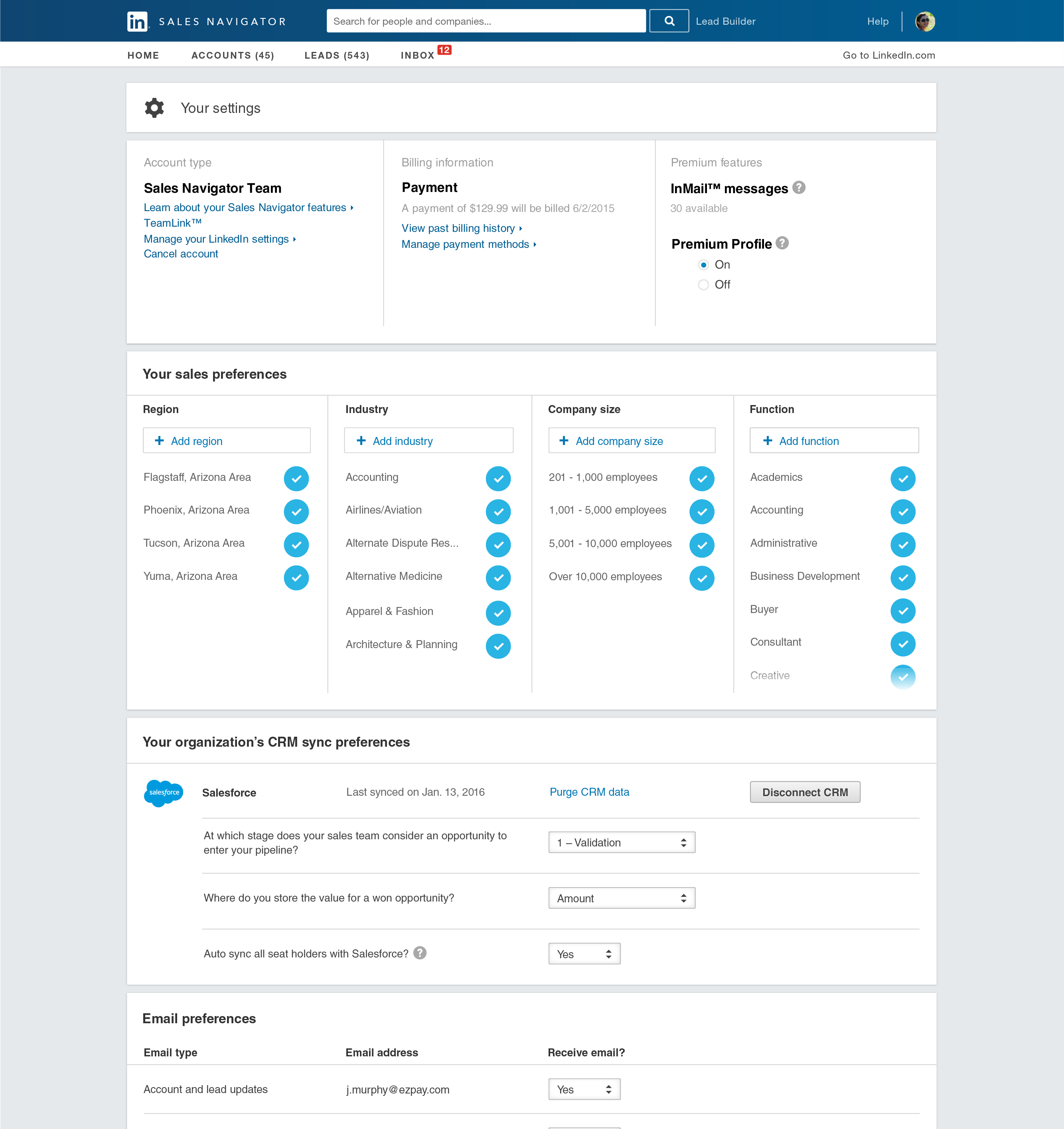
The CRM work had an operations layer. Admins and sales leaders needed to understand connection state, field mapping, opportunity value mapping, auto-sync behavior, update preferences, and when to disconnect CRM data. These controls made the integration easier to manage, not just convenient.

Key surfaces

CRM connection state, pipeline-stage mapping, opportunity mapping, auto-sync, disconnect CRM, sales preferences, and email preferences.

Early Sales Navigator settings page with sales preferences and CRM sync preferences

Expansion

Sales Navigator matured through Social Selling Index, mobile, and growth paths

As Sales Navigator matured, my work expanded into product depth and growth loops: Social Selling Index for Sales Navigator, mobile discovery and onboarding, team-only features on mobile, upsell paths, and funnel optimization across Sales Navigator and LinkedIn.

Key surfaces

Social Selling Index for Sales Navigator, mobile discovery, mobile onboarding, team mobile features, TeamLink, upsell paths, funnel optimization, and multi-seat expansion research.

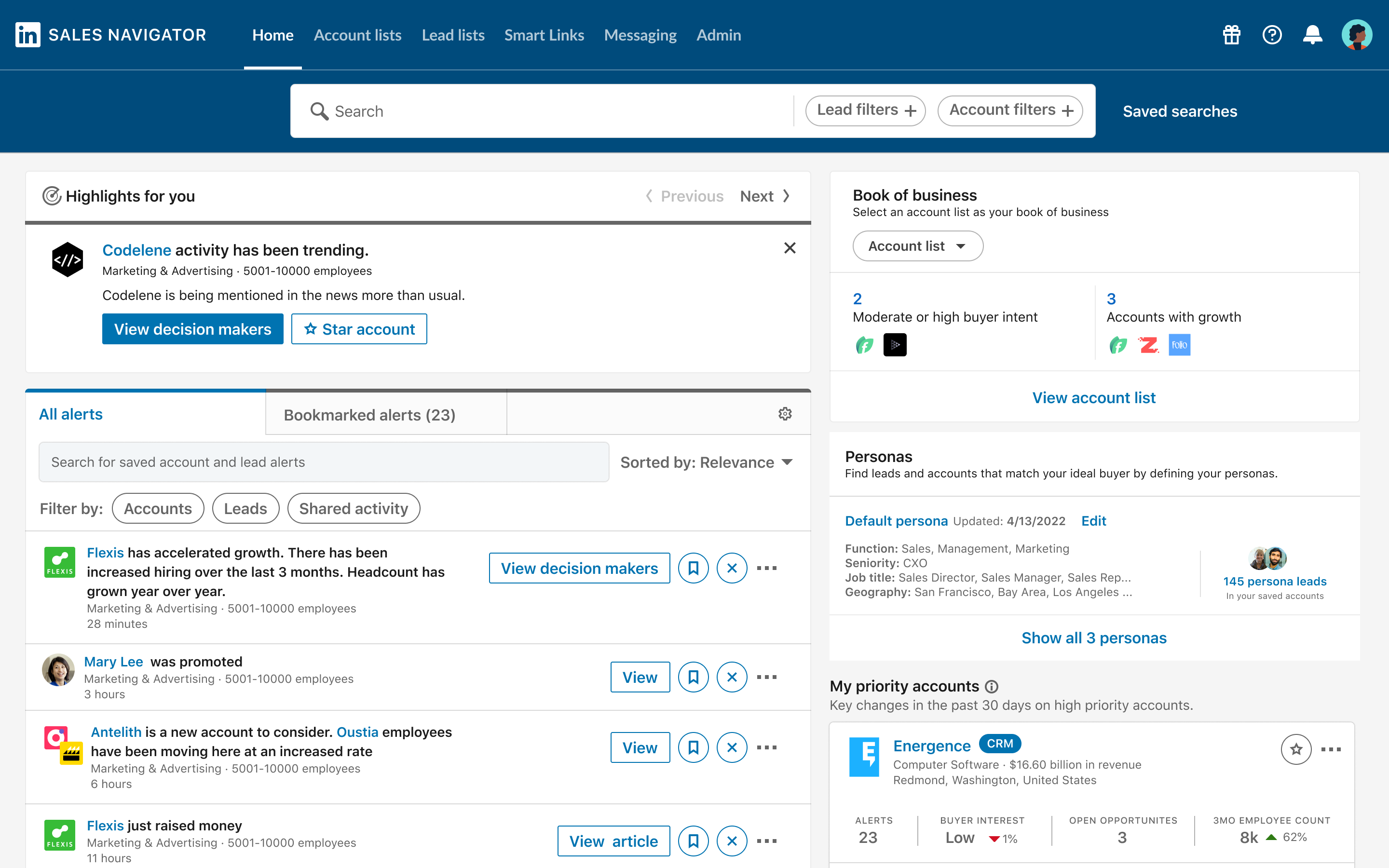
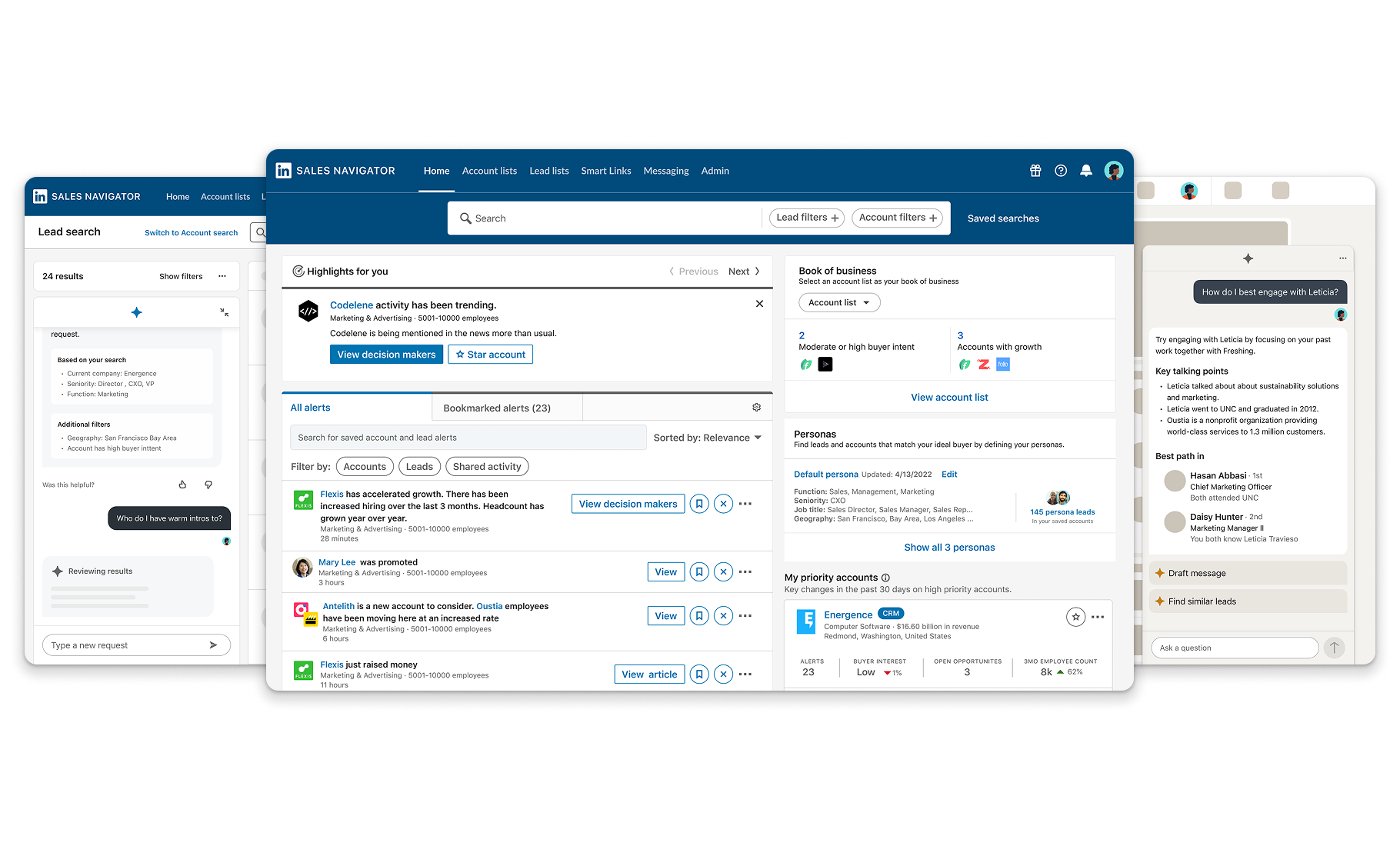
Sales Navigator home surface with alerts, personas, book of business, and priority accounts

Decisions

The tradeoffs that made the work stronger

  1. 01

    Make the product manageable before it scaled

    A team product needed more than useful seller screens. Admins and managers needed setup, usage visibility, team management, onboarding, and reporting before Sales Navigator could become an established part of the sales workflow.

  2. 02

    Treat CRM as the system of record

    The design challenge was to make Sales Navigator's relationship intelligence available inside CRM without pretending CRM stopped being the operational home for account, contact, opportunity, and activity management.

  3. 03

    Design integrations as a platform pattern

    The first Salesforce widgets had to prove value in one CRM while establishing a reusable integration model for identity, profile context, warm paths, recommendations, news, save actions, and next steps.

  4. 04

    Meet sellers where they already worked

    CRM, email, and LinkedIn.com surfaces reduced the burden of asking sellers to start every workflow inside Sales Navigator.

Outcome

What the product scaled into

  • Sales Navigator expanded from an individual seller workspace into a team product with admin, onboarding, usage visibility, team management, and new-user value paths.
  • CRM integrations moved from early Salesforce widgets toward scalable patterns for embedded intelligence, sync, activity writeback, and data controls.
  • Sales Navigator value extended into adjacent seller surfaces, including Gmail, CRM, LinkedIn.com, Social Selling Index, mobile discovery, and mobile onboarding.
  • Growth and team expansion workflows gave organizations clearer paths to understand plan value, seat usage, reporting, and multi-seat adoption.

Takeaway

Sales Navigator scaled individual seller value into a team product by making it manageable, measurable, and available across everyday sales tools.

Product growth milestones

  1. July 2014

    Sales Navigator launched as a standalone SaaS product.

  2. 2018

    LinkedIn described Sales Navigator as one of the industry's fastest-growing enterprise-grade SaaS applications.

  3. 2021

    LinkedIn Sales Solutions surpassed $1 billion in annual revenue.

  4. 2023–2024

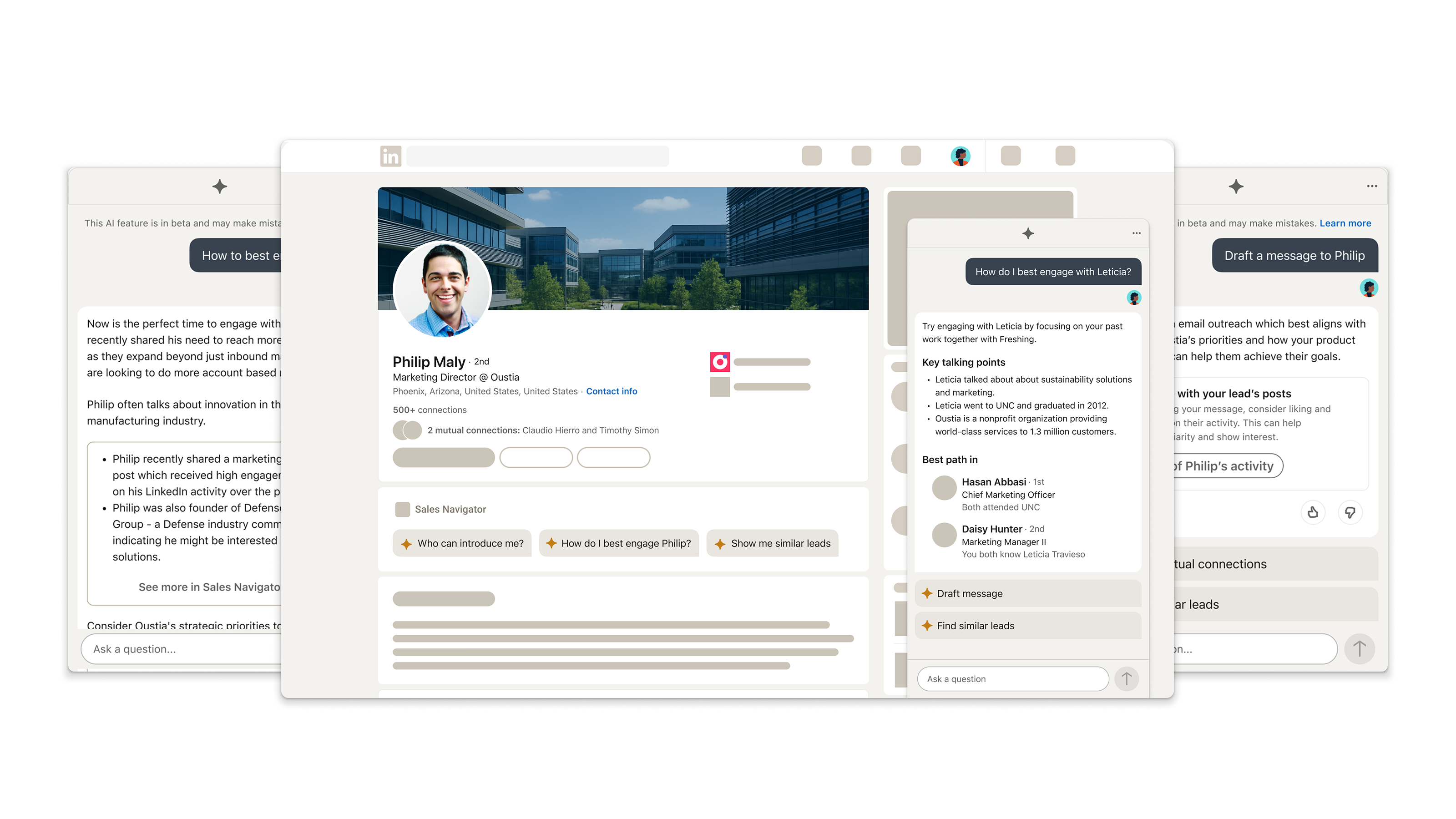
    Sales Navigator added generative AI and expanded into deeper CRM and LinkedIn.com experiences.

  5. 2025

    Sales Navigator reaches $1.5 billion in annual revenue.